Expert Virus Removal Services and Technical advice.

We are Providing Computer users with Expert Virus Removal Services and Technical Advice.

Threats and their Removal.

Do you need a quick solution to a technical problem? With our live remote-assistance tool, a member of our support team can view your desktop and share control of your mouse and keyboard to get you on your way to a solution.

Spywares and their Removal.

Are you worried that your computer might be nfected with Spywares? Then this is were you can find Support.

Advices for Protecting the Computer.

Expert Advices for Protecting your computer from attacks from all threats

Different Anti Virus Software and Tools.

Familiarizing different Anti Virus Software and removal Tools.

November 23, 2010

CLOUD COMPUTING: AntiVirus in the CLOUD?

             Practically all of the major antivirus companies have started using in-the-cloud technologies or are planning to use them in the nearest future. Despite the undoubted advantage with regard to the struggle against attacks, in-the-cloud technologies are themselves sure to be a prime target for the cybercriminals.

The eternal conflict between virus and antivirus has, up to the present moment, been largely going on at the level of files and processes on the end users’ machines. Malware programs have been trying to destroy the antivirus system by different means or attempting to persuade the user to switch it off themselves.

With the beginning of cloud- technology detection and categorization, a new front has opened up in this war. Malware programs, or to be more precise – their authors, will have to solve the problem of attacking the cloud. Although technologically it is practically impossible to destroy the cloud, direct mass DDoS attacks aside, it is quite vulnerable in terms of its own functionality - receiving, processing and sending information to and from the end users.

Problems within the very architecture of the majority of antivirus clouds will be actively used by the cybercriminals, and the first examples of such actions can be seen already. The most widespread and simple method of disabling cloud technologies is to block computer access to the cloud. More complex methods include the substitution of data –with the aim of ‘trashing’ the cloud with false information, as well as modification of the data received from the cloud.

Such ‘trashing’ is probably the most dangerous threat. Blocking access to the cloud or the modification of responses from the cloud specifically affects only infected users, but inputting false data into the cloud
will influence every single user. This would bring with it not only an absence of detection, but also to a more serious problem – false positives, which would lead to a general decline in the level of trust in cloud-based technologies and to the necessity to revise or alter their performance algorithms.

With the increase in the number of antivirus technologies that operate using in-the-cloud technologies, there will be a constant quantified and qualified growth in the number of attacks upon them from malware programs on clients’ computers, and additionally with the help of special services, supported by the cybercriminals.

GLOOMY STATISTICS.

A fake scanner based on Javascript looks quite genuine to an inexperienced user
            There are many types of malicious programs designed to scare people into buying a licence for a worthless program usually for windows. Their names may differ depending on the functionality and the way of packing/compressing the binary files. Thus, rogue antivirus programs may be contained in, among other examples, the following signatures: not-a-virus:FraudTool (this program is ascribed to the ‘not a virus’ category due to the lack of a malicious payload, apart from its attempts to persuade users to pay money for a nonfunctioning application), Trojan.Win32.RogueAV, Trojan.Win32.FraudPack or Trojan-Downloader. Win32.Agent.

The diagram refers to FraudTool signatures and shows the Top10 rogue antivirus programs. Due to the huge number of signatures it is difficult to tell for sure just by the name whether a particular malicious program represents a group of rogue antivirus solutions or not.

A bogus YouTube website. A false message informs the user that it
is necessary to update their copy of Flash Player. Cybercriminals
often covertly insert malicious programs into a user’s system by
this method, any one of which may be a rogue antivirus solution
In total, there were 266,090 victims of FraudTool.Win32 in all of the countries. First place goes to Vietnam with over 120,000 cases of FraudTool.Win32 infection.

A study shows the number of malicious programs detected on particular days for the period from March to June. From mid-March, the number of infections has systematically decreased. In March, there were 192,000 infections in total, in April 150,000, in May 135,000 and between 01 and 17 June 58,000 infections, which indicates that the number of infections in June will probably be even smaller than in May. However this fact only proves that like everyone everywhere, cybercriminals also like to take their vacations in summer. As with other malware distribution, scareware peaks in spring, autumn and before New Year.

Microsoft as the biggest software vendor is engaged in a campaign against this type of fraud also. Its website informs visitors how to remove an unwanted program and how to tell the difference between a false version of Windows Defender and the real one,which is built into the Windows system.

Summary:

Rogue antivirus programs are quite successful, which seems to be confirmed by the fact that cybercriminals look for new methods to entrap unwary users. Cybercriminals are getting better and better at making their products similar to known security applications. As a result, companies lose the trust of their customers, whilst the customers themselves, quite apart from money, can lose passwords and logins to bank and email accounts, social networks, etc. This means that the identity of the victim is under threat. We can easily predict what will happen next. With a new ID, a cybercriminal can open a bank account in somebody else’s name and use it with impunity, as it is the victim that will be responsible for the cybercriminal’s actions.

November 19, 2010

Hijacking Google services!

An international research team has demonstrated the possibility of hijacking Google services and reconstructing users’ search histories. Firstly, with the exception of a few services that can only be accessed over HTTPs (e.g. Gmail), researchers found that many Google services are still vulnerable to simple session hijacking.

Next they presented the Historiographer, a novel attack that reconstructs the web search histories of Google users, i.e. Google’s Web History, even though such a service is supposedly protected from session hijacking by a stricter access control policy. The Historiographer implements a reconstruction technique that rebuilds the search history based on inferences received from the personalized suggestions fed to it by the Google search engine. The attack was based on the fact that Google’s users receive personalized suggestions for their search queries based on previously searched keywords. The researchers showed that almost one third of monitored users were signed in to their Google accounts, and of those, half had their Web History enabled, thus leaving themselves vulnerable to this type of attack.

Next they presented the Historiographer, a novel attack that reconstructs the web search histories of Google users, i.e. Google’s Web History, even though such a service is supposedly protected from session hijacking by a stricter access control policy. The Historiographer implements a reconstruction technique that rebuilds the search history based on inferences received from the personalized suggestions fed to it by the Google search engine. The attack was based on the fact that Google’s users receive personalized suggestions for their search queries based on previously searched keywords. The researchers showed that almost one third of monitored users were signed in to their Google accounts, and of those, half had their Web History enabled, thus leaving themselves vulnerable to this type of attack. The attacks demonstrated are general and highlight concerns about the privacy of mixed architectures using both secure and insecure connections. The research data was sent to Google and the company has decided to temporarily suspend search suggestions from Search History in addition to offering Google Web History pages over secure protocol HTTPs only.

November 18, 2010

Crimeware: A new type of threat to our security.

      Crimeware is malicious software that is installed in a covert manner on computers and performs illegal actions unanticipated by a user running the software, which are intended to yield financial benefits to the distributor of the software. Main crimewares are similar to Trojans. There are differrent types of Trojans designed to do different things. For example, some are used to log every key you type (keyloggers), some capture screenshots when you are using banking websites, some download other malicious code,and others let a remote hacker access your system. Commonly they will steal your confidential information and send it to the criminal. Using these information, the cybercriminal is then able to steal your money.

During the past two years, crimeware attacks have increased at a far greater rate than the normal virus. International gangs of virus writers, hackers and spammers are joining forces to steal information and collect huge profits illegally.

Given the newness of this threat type, and the potential of how it might evolve in the future, further clarification and dissection of the definition of crimeware will likely be required.


How can you protect yourself from crimeware?
  • Install Internet security software.
  • Install operating system patches and application patches. Turn on Automatic Updates. And update Microsoft® Office regulary.
  • NEVER open an attachment sent in an unsolicited (spam) email. The same is true for email messages or IM (Instant Messaging) messages that contain links.
  • Update your security software regularly, at least once in a day. Keep your other applications updated.
  • For everyday use, create a separate user account with only limited access rights. By doing this, you limit a malicious program’s access to valuable system data.
  • Backup your data regularly to a CD, DVD, or external USB drive.

November 17, 2010

Is your Instant Messenger safe?

        Currently there are no widespread outbreaks of malicious code circulating via instant messaging. In the past, however, some malicious code did take advantage of IM. Always use normal security precautions whenever you use IM.

How They Attack?


Malware


How You Know
  • IM attachments, just like email attachments, can carry destructive viruses, Trojan horses, and worms
  • Some new worms use IM software to send themselves to every member of your buddy list
What To Do
  • Don't open attachments or click on Web links sent by someone you don't know
  • Don't send files over IM
  • If a person on your Buddy list is sending strange messages, files, or web site links, terminate your IM session

SPAM

How You Know
  • Some Spam can contain offensive language or links to Web sites with inappropriate content
What To Do
  • Reject all Instant Messages from persons who are not on your Buddy list
  • Do not click on URL links within IM unless from a known source and expected

Vulnerabilities

How You Know
  • Most instant messages still travel unencrypted across the Internet, exposing private conversations to anyone who can find a way to listen in.
 What To Do

November 16, 2010

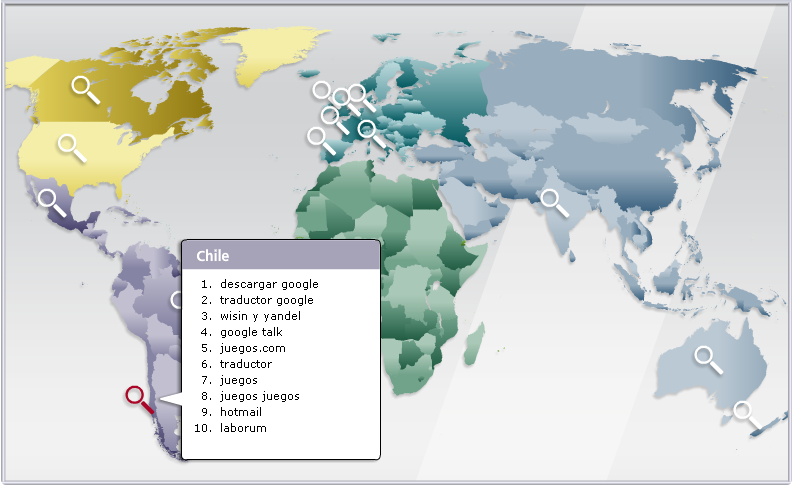
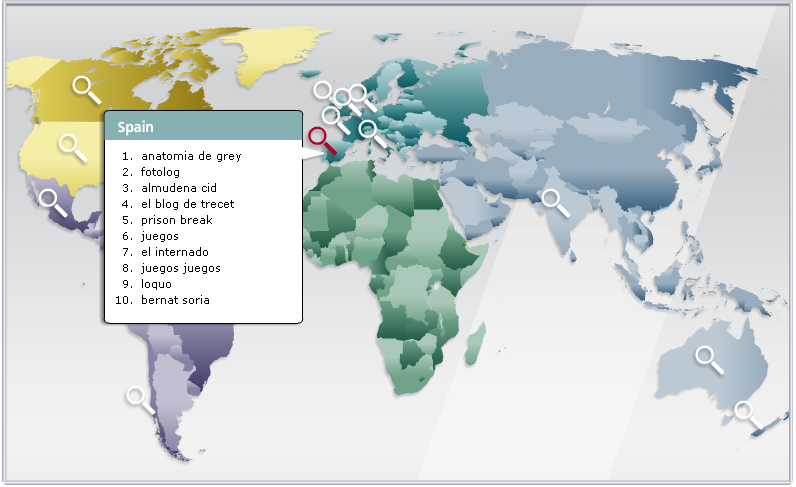
Countrywise Dangerous Key Words (Search Terms)!

        From more than 2,600 popular keywords, the first five pages of results across each of five major search engines are examined. On average, each keyword generated a little more than 250 results. Each keyword a category and a country and then ranked them by the risk of their resulting URLs. In addition, using data from Hitwise, a search intelligence company conducted much deeper dives into specific keywords.

Keywords were ranked in two ways:

1) The average risk of all results and
2) The maximum risk of the riskiest page of results.

What Makes Certain Search Terms Risky?

Why are certain keywords or search terms riskier than others? While it’s not always possible to understand the minds and motivations of today’s sophisticated hackers. Hackers are most successful when they can attract a large number of victims. One way to target big crowds online is to track current events - everything from celebrity meltdowns and natural disasters to holidays and popular music.

One key tool cybercriminals use to snare victims is to get them to download a computer file or program that comes with a malicious payload.

With these two concepts in play, let’s take a look at one of our riskiest search terms: free music downloads. On average, 20.7% of results were risky (compared to just 1.7% of all search terms) and on one results page out of the 25 search engine pages rated, it is found a whopping 42.9% of results risky. As consumers continue to convert their music libraries to digital formats like MP3 files, many consumers have heard that the web can be a source for free music. If the consumer is already looking for music, then they already have the mindset of being willing to download something - and that makes the malware author’s work easier.

A website’s subject matter or type of content can also affect its riskiness. Two such examples are lesser known pornographic and gambling sites that can be used to host malicious software such as exploits, dialers, Trojans, and other malware. This type of content can lead consumers down the dark alleys of the Internet, and consumers expose themselves to more risk when they attempt to search for these terms.

When determining “market size” for their scams, cybercriminals may look at the total number of website links a search term yields. Googlebattle.com is a good tool for illustrating this. An Anti-Virus giant found “Brad Pitt” more dangerous to search for than “Hugh Jackman” (14.3% maximum risk to 9.1%). Similarly, Googlebattle produces 26.4 million hits for “Brad Pitt” and just 5.5 million for “Hugh Jackman.”

It’s important to note that the number of website links is just one factor a cybercriminal might use when weighing whether to target a keyword. For example, Googlebattle finds Olympics soccer has more links than Olympic swimming, but for U.S. audiences in particular, “Michael Phelps” was a more popular - and riskier - search term.

Similarly, spikes in news coverage can also drive even consistently popular keywords out of the “most risky zone.” For example, three popular female celebrities are Cameron Diaz (15.6% maximum risk), Angelina Jolie (8.3%) Oprah Winfrey (7%) and Beyonce Knowles (7%). But searches for Zuma Rossdale, the daughter of Gavin Rossdale and Gwen Stefani, can be as risky as 25%, suggesting that malicious or unscrupulous players do pay significant attention to news events.

Countrywise Dangerous Key Words…


November 12, 2010

Microsoft's Recommendations!

Microsoft recommends that you install security software to help protect your computer from viruses and other security threats, and that you keep your security software up to date.

Some companies use products that appear to be Antivirus programs to install viruses or malware on your computer (Called as Rogues or Scarewares). When you install this program, you might also be installing the virus or other malware, without knowing it. Many companies, including those listed on this page, distribute antivirus programs. You should carefully investigate the source of antivirus and other products before downloading and installing them.

Recommended Windows 7 security software providers: 
The Antivirus companies listed below provide consumer security software that is compatible with Windows 7.

Recommended Windows Vista security software providers:
The Antivirus companies listed below provide consumer security software that is compatible with Windows Vista. 


Recommended Windows XP security software providers:
The Antivirus companies listed below provide consumer security software that is compatible with Windows XP.

Important: Before you install antivirus software, check to make sure you don't already have an antivirus product on your computer. If you do, be sure to remove the product you don't want before you install the new one. It can cause problems on your computer to have two different antivirus products installed at the same time.


Related Posts Plugin for WordPress, Blogger...

Search This Blog

Followers

Categories

Twitter Delicious Facebook Digg Stumbleupon Favorites More