Expert Virus Removal Services and Technical advice.

We are Providing Computer users with Expert Virus Removal Services and Technical Advice.

Threats and their Removal.

Do you need a quick solution to a technical problem? With our live remote-assistance tool, a member of our support team can view your desktop and share control of your mouse and keyboard to get you on your way to a solution.

Spywares and their Removal.

Are you worried that your computer might be nfected with Spywares? Then this is were you can find Support.

Advices for Protecting the Computer.

Expert Advices for Protecting your computer from attacks from all threats

Different Anti Virus Software and Tools.

Familiarizing different Anti Virus Software and removal Tools.

Showing posts with label Safe Computing. Show all posts

February 28, 2011

Auto Dialer.

Some time ago, the phone companies came up with a feature that allowed merchants to reach a broader range of customers by allowing consumers to make payments via your phone bill. If you did not have a credit card, you just dialed a 900 number, connected by voice or modem (for Internet sites). Every minute you used the service, you were charged a fee ranging from $1 to $5 or more per minute. At months end, the charge appeared on the phone bill. Many services were legit Consumers called weather, horoscope and gambling services offering this feature. But many merchants sold expensive phone or online adult content.


November 26, 2010

Using Shortened URLs: Security Risks

URL shortening services such as TinyURL.com and Bit.ly are becoming trendy attack methods. We all share website links with each other through emails, blogs, social media sites, book marking websites and word of mouth and we rarely, if ever, think about the potential security risk this simple act can raise. You may not want to automatically click on the shortened URL after you read this.

What is URL Shortening?

The compacted URLs produced by services such as TinyURL.com, bit.ly, is fine, and many others are convenient and save space, but they can also be used to hide the identity of malicious sites. The idea behind URL shortening or link shortening is very simple, take a long URL and encrypt it to produce a shorter URL. This is what URL shortening services do.

Security Risks
  • Allow spammers to override spam filters as domain names like TinyURL are automatically trusted.
  • Prevent users from checking for suspect URLs by obfuscating the actual Web-site URL.
  • Redirect users to phishing websites in order to get sensitive personal information.
  • Redirect users to malicious websites, just waiting to download malware.

Fortunately, there are several ways to look behind a shortened URL to see exactly where the link will take you - before you click it! Every URL-shortening service I'm aware of offers one or more ways to preview the real destination of a shortened link.

For example, here's a typical bit.ly URL that I created. All it does is take you to the http://www.techsupp247.com/ home page, but there's no way to know that in advance - it's a blind link:

bit.ly/tsp247

So you want to see where the link really goes before you click it.  It's easy: all you have to do is copy the link, paste it into the address bar of any browser window or tab, and add a plus sign to the end, like this:

bit.ly/tsp247+


Adding a plus sign to the end of any bit.ly URL brings you to a special bit.ly page that shows you information about the link, including the full, expanded URL. Using the information on that bit.ly page, you can decide whether the link is safe and worth following.

TinyURL has a similar option. But instead of adding a plus sign at the end of a link, you prepend the word preview. For example, here's a regular TinyURL link to the Windows Secrets home page:

http://tinyurl.com/TS247

Copy that link into the address bar of your browser and add the word preview:

http://preview.tinyurl.com/TS247
Now the link will bring you to a preview page that displays the full, expanded URL. Like all the other major URL-shortening services, TinyURL offers an easy way (circled in green) to preview the true destination of a shortened link.
All the major URL-shortening services have similar ways of letting you preview what's behind their URLs.
If you're checking lots of links, it can be tedious process to manually copy, paste, and edit URLs. Several sites offer automated scripts to make things a bit easier. For example, when you encounter a suspicious short URL, you can try Longurl.org, ExpandMyURL.com, or LongURLPlease.com

Firefox users can install the bit.ly preview add-on to allow previewing of short URLs without needing to leave the page you're on. Despite the name, the add-on works for many URL-shorteners - not just bit.ly. Chrome users can also download a similar extension for that browser. There is no fully automated preview tool for Internet Explorer, although several URL-shortening apps are available in the Microsoft IE Add-ons Gallery. Just type url into the search bar.

Conclusion

URL shortening is a useful and convenient service; just make sure you exercise some common sense and an ounce of caution to avoid being exploited by a shortened URL. Many industry experts say that we shouldn’t click on active links, whether they’re in e-mail messages, IM messages, or tweets. That’s an unrealistic expectation; so just make sure to approach links with caution. If possible, use one of the preview features to check out the link first.

November 24, 2010

Dangerous Clouds!


The non-profit Cloud Security Alliance has published a report defining the foremost cloud security threats.

Cloud computing is a kind of distributed system whereby all computer resources are provided to the users in the form of Internet services. As the technology becomes more and more popular, criminals use it to improve their reach, avoid detection and increase the effectiveness of their activities. Enterprise and home users need to better understand the risks associated with the adoption of cloud computing.

The authors of the report identified the following seven threats:

1. Abuse and nefarious use of cloud computing
Providers of infrastructure as a service offer their customers the illusion of unlimited compute, network and storage capacity, often coupled with a frictionless registration process where anyone with a valid credit card can register and immediately begin using cloud services. Some providers even offer free limited trial periods. By abusing the relative anonymity behind these registration and usage models, spammers, malicious code authors and other criminals have been able to conduct their activities with relative impunity.

2. Insecure Application Programming Interfaces
Cloud computing providers expose a set of APIs that customers use to manage and interact with cloud services. Provisioning, management, orchestration and monitoring are all performed using these interfaces. The security and availability of general cloud services is dependent upon the security of these basic APIs.

This threat is amplified for consumers of cloud services by the convergence of IT services and customers under a single management domain, combined with a general lack of transparency into provider process and procedure.

4. Shared technology vulnerabilities
Cloud computing vendors deliver their services in a scalable way by sharing infrastructure. Often, the underlying components that make up this infrastructure were not designed to offer strong isolation properties for a multi-tenant architecture. To address this gap, a virtualization hypervisor mediates access between guest operating systems and the physical compute resources. Still, even hypervisors have exhibited flaws that have enabled guest operating systems to gain inappropriate levels of control or influence on the underlying platform.

5. Data loss/leakage
The threat of data compromise increases in the cloud. Examples include insufficient authentication, authorization or audit controls, operational failures and data center reliability.

6. Account, service & traffic hijacking
Cloud solutions add a new threat to the landscape. If an attacker gains access to your credentials in the cloud, they can manipulate data, eavesdrop on your activities and transactions, return falsified information and redirect your clients to illegitimate sites. Your account or service instances may become a new base for the attacker. From here, they may leverage the power of your reputation to launch subsequent attacks

7. Unknown risk profile
One of the ideas of Cloud Computing is the reduction of hardware and software ownership and maintenance to allow companies to focus on their core business. This has clear financial and operational benefits, which must be weighed carefully against the contradictory security concerns — complicated by the fact that cloud deployments are driven by groups who may lose track of the security ramifications.

These threats described are not listed in order of severity.

November 23, 2010

GLOOMY STATISTICS.

A fake scanner based on Javascript looks quite genuine to an inexperienced user
            There are many types of malicious programs designed to scare people into buying a licence for a worthless program usually for windows. Their names may differ depending on the functionality and the way of packing/compressing the binary files. Thus, rogue antivirus programs may be contained in, among other examples, the following signatures: not-a-virus:FraudTool (this program is ascribed to the ‘not a virus’ category due to the lack of a malicious payload, apart from its attempts to persuade users to pay money for a nonfunctioning application), Trojan.Win32.RogueAV, Trojan.Win32.FraudPack or Trojan-Downloader. Win32.Agent.

The diagram refers to FraudTool signatures and shows the Top10 rogue antivirus programs. Due to the huge number of signatures it is difficult to tell for sure just by the name whether a particular malicious program represents a group of rogue antivirus solutions or not.

A bogus YouTube website. A false message informs the user that it
is necessary to update their copy of Flash Player. Cybercriminals
often covertly insert malicious programs into a user’s system by
this method, any one of which may be a rogue antivirus solution
In total, there were 266,090 victims of FraudTool.Win32 in all of the countries. First place goes to Vietnam with over 120,000 cases of FraudTool.Win32 infection.

A study shows the number of malicious programs detected on particular days for the period from March to June. From mid-March, the number of infections has systematically decreased. In March, there were 192,000 infections in total, in April 150,000, in May 135,000 and between 01 and 17 June 58,000 infections, which indicates that the number of infections in June will probably be even smaller than in May. However this fact only proves that like everyone everywhere, cybercriminals also like to take their vacations in summer. As with other malware distribution, scareware peaks in spring, autumn and before New Year.

Microsoft as the biggest software vendor is engaged in a campaign against this type of fraud also. Its website informs visitors how to remove an unwanted program and how to tell the difference between a false version of Windows Defender and the real one,which is built into the Windows system.

Summary:

Rogue antivirus programs are quite successful, which seems to be confirmed by the fact that cybercriminals look for new methods to entrap unwary users. Cybercriminals are getting better and better at making their products similar to known security applications. As a result, companies lose the trust of their customers, whilst the customers themselves, quite apart from money, can lose passwords and logins to bank and email accounts, social networks, etc. This means that the identity of the victim is under threat. We can easily predict what will happen next. With a new ID, a cybercriminal can open a bank account in somebody else’s name and use it with impunity, as it is the victim that will be responsible for the cybercriminal’s actions.

November 19, 2010

Hijacking Google services!

An international research team has demonstrated the possibility of hijacking Google services and reconstructing users’ search histories. Firstly, with the exception of a few services that can only be accessed over HTTPs (e.g. Gmail), researchers found that many Google services are still vulnerable to simple session hijacking.

Next they presented the Historiographer, a novel attack that reconstructs the web search histories of Google users, i.e. Google’s Web History, even though such a service is supposedly protected from session hijacking by a stricter access control policy. The Historiographer implements a reconstruction technique that rebuilds the search history based on inferences received from the personalized suggestions fed to it by the Google search engine. The attack was based on the fact that Google’s users receive personalized suggestions for their search queries based on previously searched keywords. The researchers showed that almost one third of monitored users were signed in to their Google accounts, and of those, half had their Web History enabled, thus leaving themselves vulnerable to this type of attack.

Next they presented the Historiographer, a novel attack that reconstructs the web search histories of Google users, i.e. Google’s Web History, even though such a service is supposedly protected from session hijacking by a stricter access control policy. The Historiographer implements a reconstruction technique that rebuilds the search history based on inferences received from the personalized suggestions fed to it by the Google search engine. The attack was based on the fact that Google’s users receive personalized suggestions for their search queries based on previously searched keywords. The researchers showed that almost one third of monitored users were signed in to their Google accounts, and of those, half had their Web History enabled, thus leaving themselves vulnerable to this type of attack. The attacks demonstrated are general and highlight concerns about the privacy of mixed architectures using both secure and insecure connections. The research data was sent to Google and the company has decided to temporarily suspend search suggestions from Search History in addition to offering Google Web History pages over secure protocol HTTPs only.

November 16, 2010

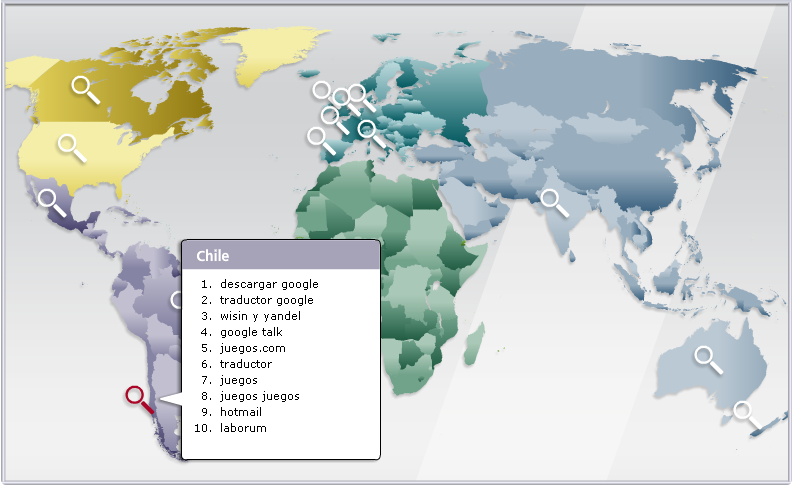
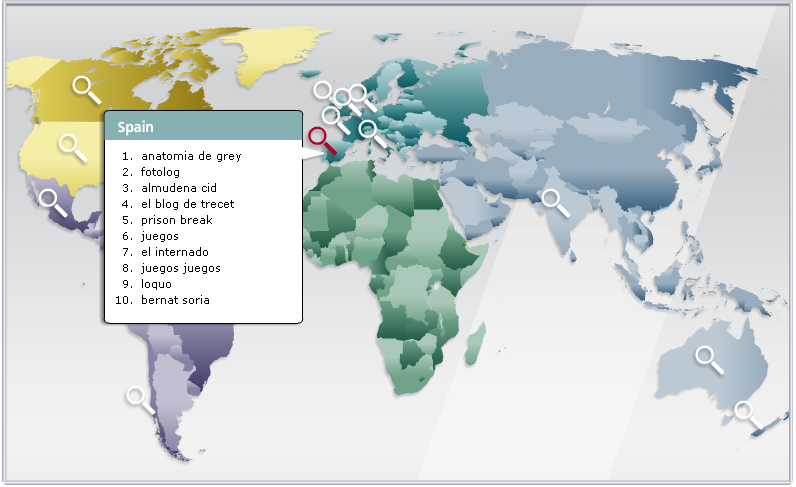
Countrywise Dangerous Key Words (Search Terms)!

        From more than 2,600 popular keywords, the first five pages of results across each of five major search engines are examined. On average, each keyword generated a little more than 250 results. Each keyword a category and a country and then ranked them by the risk of their resulting URLs. In addition, using data from Hitwise, a search intelligence company conducted much deeper dives into specific keywords.

Keywords were ranked in two ways:

1) The average risk of all results and
2) The maximum risk of the riskiest page of results.

What Makes Certain Search Terms Risky?

Why are certain keywords or search terms riskier than others? While it’s not always possible to understand the minds and motivations of today’s sophisticated hackers. Hackers are most successful when they can attract a large number of victims. One way to target big crowds online is to track current events - everything from celebrity meltdowns and natural disasters to holidays and popular music.

One key tool cybercriminals use to snare victims is to get them to download a computer file or program that comes with a malicious payload.

With these two concepts in play, let’s take a look at one of our riskiest search terms: free music downloads. On average, 20.7% of results were risky (compared to just 1.7% of all search terms) and on one results page out of the 25 search engine pages rated, it is found a whopping 42.9% of results risky. As consumers continue to convert their music libraries to digital formats like MP3 files, many consumers have heard that the web can be a source for free music. If the consumer is already looking for music, then they already have the mindset of being willing to download something - and that makes the malware author’s work easier.

A website’s subject matter or type of content can also affect its riskiness. Two such examples are lesser known pornographic and gambling sites that can be used to host malicious software such as exploits, dialers, Trojans, and other malware. This type of content can lead consumers down the dark alleys of the Internet, and consumers expose themselves to more risk when they attempt to search for these terms.

When determining “market size” for their scams, cybercriminals may look at the total number of website links a search term yields. Googlebattle.com is a good tool for illustrating this. An Anti-Virus giant found “Brad Pitt” more dangerous to search for than “Hugh Jackman” (14.3% maximum risk to 9.1%). Similarly, Googlebattle produces 26.4 million hits for “Brad Pitt” and just 5.5 million for “Hugh Jackman.”

It’s important to note that the number of website links is just one factor a cybercriminal might use when weighing whether to target a keyword. For example, Googlebattle finds Olympics soccer has more links than Olympic swimming, but for U.S. audiences in particular, “Michael Phelps” was a more popular - and riskier - search term.

Similarly, spikes in news coverage can also drive even consistently popular keywords out of the “most risky zone.” For example, three popular female celebrities are Cameron Diaz (15.6% maximum risk), Angelina Jolie (8.3%) Oprah Winfrey (7%) and Beyonce Knowles (7%). But searches for Zuma Rossdale, the daughter of Gavin Rossdale and Gwen Stefani, can be as risky as 25%, suggesting that malicious or unscrupulous players do pay significant attention to news events.

Countrywise Dangerous Key Words…


November 3, 2010

Dangerous Celebrities in Cyberspace!!

This year, the search results for celebrities are safer than they've been in previous years, but there are still dangers when searching online. "Through consumer education and tools, consumers are getting smarter about searching online, yet cybercriminals are getting sneakier in their techniques. Now they're hiding malicious content in 'tiny' places like shortened URLs that can spread virally in social networking sites and Twitter, instead of on websites and downloads.

Cameron Diaz has been named the most dangerous celebrity on the web for 2010 by a top security firm.

Research by the security firm, which has been acquired by Intel, revealed that web users searching for images, screen savers and videos of the 'Knight and Day' actress have a one in ten chance of being presented with results that lead to malicious web pages.

According to the research, cybercriminals often use the names of popular celebrities to trick web users into visiting sites infected with malicious software. Those navigating to the site could find the malware installed on their computers.

Pretty Woman star Julia Roberts was named the second most dangerous celebrity on the web, while Justin Timberlake's current girlfriend, Jessica Biel, took third place.

Also said that while movie stars and models top the 'most dangerous' list this year politicians including US President Barack Obama and Sarah Palin are among the safest celebrities to search for on the net.

The top 10 celebrities from this year’s study with the highest percentages of risk are:


Position
Celebrity
1
Cameron Diaz – Searching for Diaz results in a one in ten chance of landing on a risky site. She has most recently been in the spotlight with blockbuster movies, "Knight and Day" and "Shrek Forever After." When "Cameron Diaz and screensavers" was searched, 19% of the sites were identified as containing malicious downloads.
2
Julia Roberts – Academy Award-winning actress Julia Roberts is one of America's sweethearts, and will soon be in the spotlight with her upcoming release of "Eat, Pray, Love." The overall risk of searching for Roberts is nine percent, yet searching for "Julia Roberts and downloads" results in a 20% chance of downloading a photo, wallpaper or other file laden with malware.
3
Jessica Biel – Last year's Most Dangerous Celebrity fell two spots with searches resulting in fewer risky sites this year. Biel continues to be in the spotlight with her on-again, off-again relationship with Justin Timberlake, and appeared in "The A-Team" in June 2010. While her overall search risk is 9%, searching for "Jessica Biel and screensavers" results in a 17% chance of landing on a risky site.
4
Gisele Bündchen – The world's highest-paid supermodel moved up two spots since last year. Searching for "Gisele Bündchen and screensavers" can prove risky, 15% of the search results for this beauty can put spyware, malware or viruses on your computer.
5
Brad Pitt – Pitt is often in the spotlight with news of his movies and his personal life. It's no wonder why this leading man has been in the top ten for the past three years. He moved up in rank five spots this year. Downloading photos, screensavers, or other files of Brad can potentially put adware or spyware in your computer.
6
Adriana Lima – Searching for downloads of this Brazilian beauty can direct users to red-ranked sites. Lima is best known for being a Victoria's Secret Angel since 2000.
7
Jennifer Love Hewitt, Nicole Kidman – Searching for these Hollywood starlets resulted in an equal number of risky download websites.
8
Tom Cruise – With recent buzz around his MTV Awards performance as well as his movie, "Knight and Day," Cruise rises to the top ten.
9
Heidi Klum, Penelope Cruz – Both of these ladies are consistently in the spotlight, and share the #9 spot. Cybercriminals use their names to lure people to risky sites. Klum hosts "Project Runway" and Cruz has been in the spotlight recently for her role in the "Sex and the City 2" movie and is expected to be in the fourth film of the "Pirates of the Caribbean" series.
10
Anna Paquin – This "True Blood" star is as dangerous on the web as she is on the screen. Searching for screensavers of Paquin can lead you to downloads filled with malware.

Cybercriminals follow the same hot topics as consumers, and create traps based on the latest trends. Whether you’re surfing the Web from your computer or your phone or clicking on links in Twitter about your favorite celeb, you should surf safely, and make sure you’re using the latest security software.

Is Your Money Safe Online?

It is important to keep your hard-earned money safe.

The Internet allows you to make life easy and get better rates. It also adds new risks. While online banking is considered safer than traditional paper-based banking, you need to know what the threats are.

The internet is a convenient place to buy almost anything. Unfortunately, if someone gets hold of your credit or debit card details, they may try to use them to shop online fraudulently.

That's why MasterCard and Visa have developed MasterCard SecureCode and Verified by Visa secure services that offer you much greater protection when shopping online.

Verified by Visa and MasterCard SecureCode both work in the same way - by using personal passwords, used by the consumer, to add an extra layer of protection when you buy online in retailer outlets.
  
Where can I shop?

You can shop anywhere online. Signing up does not in any way restrict your ability to use your card to make purchases online, whether or not the website you are shopping at is currently participating in the service or not. It simply means that when you buy from a retailer that is participating, you benefit from that extra level of security. The number of online retailers registered with these services is growing all the time.

November 1, 2010

Be careful whenever you're using a public computer!!

Please be careful whenever you're using a computer at a public place such as libraries, internet cafes, airports, and coffee shops, etc.

Check the back of the computer and see if the below device is there.
If so, do not use it!!!!

New storing device fits at the end of the keyboard cable connecting to the computer specialized to save all typed keys in it!!

It could be used commonly in internet cafes, exhibitions, hotels and airports. Please be careful when you access internet from these places to enter your bank accounts online or any other important websites.

After you enter the bank account details and leave the computer, it will be very easy to open your account again as all what you have typed has been saved in the Black Device.  
Therefore, you should check the computer for any suspicious device behind it before using the internet in public places accessing important websites.

These devices are generally known as "key loggers". The brand of keylogger shown in the message is a KeyShark Key Logger and is available for sale at many different computer outlets and websites around the world.


Product information about the device describes it as follows:


This is a device that can be connected to a keyboard to record all keystrokes. It has a changeable password, keyword search, enable/disable option, and stores over a years worth of data.


Keyshark plugs in between your keyboard and your computer. A microcontroller interprets the data, and stores information in the non-volatile memory (which retains the information even when there is a loss of power.) This means that the Key Shark device can be unplugged, and the information will not be lost.

The black Keyshark Key Logger shown in the photographs is in fact only one kind of hardware keylogger. The devices come in all shapes and sizes and are not always black. There are also USB and wifi keyloggers as well as PS/2 devices like the one shown here.


It should be noted that the devices themselves are not illegal and can be easily procured. Possible legitimate applications for keyloggers might be the monitoring of children's use of the Internet, permission based monitoring of staff activity or helping software developers learn how test users interact with new software products. Law enforcement agencies may also use the devices when gathering evidence or intelligence. That said, keyloggers can indeed be used for nefarious and illegal purposes. An unscrupulous Internet Cafe owner or staff member could certainly install the devices unbeknownst to customers.


All in all, however, a much more potent keylogging threat to users exists in the form of software keyloggers. Software keyloggers, which can perform the same function as hardware devices such as the Keyshark, are much cheaper and can potentially be installed on a great many more computers. Keylogger software in the form of trojans horses can be installed on thousands or even millions of computers via malware email campaigns that cost the criminal very little to implement. Therefore, it seems probable that serious criminals are considerably more likely to operate software keyloggers than use the more expensive and cumbersome hardware variety.

October 27, 2010

How to Shop Safely Online?

For many of us, online shopping has become a regular part of our lives, mainly because it is so convenient.

Every day, millions of people go online to do research about products and make purchases from thousands of different online merchants. The web allows you to comparison shop for the best deals and locate products that might otherwise be difficult to find.

But while online shopping provides you with a high level of convenience, it also provides cybercriminals with opportunities to steal your money and information through various online scams.

That is why it is so important for you to know how to stay safe when you’re shopping online. A recent survey revealed that 87% of people had concerns when providing personal information online, which is not surprising given the growing problem of identity theft. Furthermore, over half of those surveyed do not know how to tell if an online shopping site is safe or not.

While there are legitimate concerns when it comes to shopping online, the good news is that there are steps you can take to protect yourself. With the help of this guide, and a little bit of awareness and education, you can easily enjoy the convenience of shopping online.


Benefits of Online Shopping

There’s no doubt about it- there are many benefits to shopping online.

Here are just a few advantages that keep consumers logging on:
24-hour-a-day shopping- On the Internet, stores never close so you can shop when it’s convenient for you and browse as long as you like.
Shop from the comfort of your home- You can shop while relaxing on your couch, even when the weather or traffic is bad. And you don’t have to worry about crowds of people at the mall.
Save time- You don’t have to waste time driving across town, searching for parking, or standing in line to pay for your purchases.
Comparison shop- It’s easy to do comparison shopping online and learn from product reviews written by other shoppers.
More variety- There seems to be an endless variety of products and services available online. The items you find on just a few websites can far outnumber what is available in local stores. You can even shop globally without leaving your home.

Drawbacks of Online Shopping

It’s hard to beat online shopping for convenience and variety of products; however, it does have its drawbacks.

Here are a few disadvantages reported by shoppers:

Must rely on website text and images- You cannot physically see or touch the merchandise, so it can be difficult to determine things like quality and fit.
Delivery time- You don’t have the immediate satisfaction of receiving the product when you buy it since you have to wait for it to be delivered.
Shipping charges- You usually have to pay shipping charges, which may increase the overall cost of what you are purchasing.
Shipped returns- Returns can be more of a hassle because you have to pack up the product, ship it back, and wait for the seller to receive and process the return before you can get your product exchanged or refunded.
Security concerns- It can be difficult to tell if the website is secure. If the site is not secure- or is fraudulent- you can potentially open yourself up to identity theft.
Privacy concerns- If a site doesn’t have a comprehensive privacy policy, it is impossible for you to know who has access to your information, and whether your information is protected or shared with third parties. Information sharing could lead to spam, or even identity theft.

Tips for Safe Online Shopping


Despite the drawbacks, online shopping can be a fun, convenient, and safe activity if you take a few precautions. Follow these tips to help you have the best online shopping experience possible.

Before You Buy

Comparison shop- Use a search engine to look for the best deals, but be wary of deals that sound too good to be true.
Do a background check on the online retailer- Make sure that the e-tailer lists a physical address and phone number. Call the company’s phone number to see if there is a representative you can speak to.
Read customer reviews- Another important step in investigating an online merchant is to do a search for customer reviews. If there are multiple complaints about the company, proceed with caution.
Know the shipping policies- Look into shipping and handling fees and make sure they seem reasonable to you. You want to make sure that you understand all your shipping options and how they will affect your total cost.
Know your options when it comes to returns and exchanges- Since it is difficult to determine things like quality and fit when shopping online, it is important to check out the merchant’s return and exchange policies.
Find out when your purchase will be delivered-  Since you may need your purchase by a specific date, you should investigate the time it will take for delivery.
Review the company’s privacy policy- Look to see how the merchant uses your personal information and check to make sure that it will not be shared with third parties.


When Making a Purchase

Don’t shop at a site if you’re not comfortable- If you feel that the site may not be secure, you’re probably right.
Never click on links from spam emails to make purchases- Don’t click on a link in an email from someone you don’t know, or buy on a site advertised in a spam email.
Check the web address to make sure you are on the correct website- Once you arrive at a site, you need to make sure that it is legitimate and not a fake site.
Check that the site is secure- Look for a security seal, trustmark, indicating that the site has been scanned and verified as secure by a trusted third party. This security seal indicates that the site will help protect you from identity theft, credit card fraud, spam, and other malicious threats.
Use a credit card for payment- Credit cards on the whole offer better protection against fraud than debit cards.
Do not use a public computer to shop online- If you are using a public computer, strangers may be able to access your browsing history and even your login information. To protect yourself, do all of your online shopping from your secure home computer.
Only use a secure connection when you place your order- Never shop using an unsecured wireless network because hackers can access your payment information if the network is not protected. You also want to make sure that your computer is protected with comprehensive and up-to-date security software, which will safeguard you from viruses, spyware, and other unknown online threats.
Use strong passwords- Choose passwords that are difficult to guess and that are at least ten characters long consisting of a combination of numbers, letters, and symbols.

After Your Purchase

Keep a paper trail- Keep a copy of your order number and receipt, and note which credit card you used. When you receive your credit card statement, review it to make sure that the charge placed on your card is correct and that there are no extra fees or charges.
Inspect your purchase as soon as you receive it-  Make sure that the product you received is correct and is not damaged. If you have to return or exchange an item, do it quickly so you do not exceed any return restrictions.

October 25, 2010

National Cybersecurity Awareness Month

National Cyber Security Awareness Month (NCSAM), conducted every October since 2004, is a public awareness campaign to encourage everyone to protect their computers and critical cyber infrastructure.

What are you doing for National Cyber Security Awareness Month?

The success of National Cyber Security Awareness Month rests on all of us doing what we can do to engage those around us to be safe and secure online. There are opportunities for everyone, from home users and small businesses to major corporations and government entities, to get involved.

Cybersecurity Coordinator Howard Schmidt answers your questions about National Cybersecurity Awareness Month, the "Stop.Think.Connect" initiative to encourage safety online, and ways to protect yourself online. October 20, 2010.


Hear President Obama talk about Cyber Security Awareness Month (Oct, 2009)

President Obama explains how the growth of digital networks has increased the need to invest in online security, as well as steps individuals can take to protect themselves from online threats. October 14, 2009.

October 21, 2010

Safe Computing

What You Need to Know to Avoid Identity Theft
Introduction to Safe Computing
What You Need to Know to Avoid Identity Theft

Home computers are a popular target for intruders. This is due to the fact that home computers usually use less complex protection and take less work and risk to penetrate than the systems within a secure enterprise network. This is not to say that in the past, hackers haven’t also provided equal headaches for the security administrators in big enterprises, exploiting every possible opportunity to sneak in. The attackers look for credit card numbers, bank account information, and anything else they can find from your home computer. But it’s not just the money-related information they’re after. Intruders also want the compromised computer’s resources, to attack other computers on the Internet. In fact, the more computers an intruder uses, the harder it is for law enforcement to figure out where the attack is really coming from.

Not many of the home computer users are aware of the security issues that can arise out of unsafe computing practices, unless they experience an attack on their computers. When combined with high-speed Internet connections that are always turned on, intruders can quickly find and then attack home computers. While intruders also attack home computers connected to the Internet through dial-up connections, high-speed connections modems and DSL modems) becomes a favored target. As we have discussed earlier, attackers use various methods such as attaching a virus in an email, to enter or access the home computers. They also take advantage of vulnerabilities in the computer’s programs code to gain access.
What You Need to Know to Avoid Identity Theft

What follows are some tips to help provide a more secure computing experience.


How to choose secure passwords??

What You Need to Know to Avoid Identity Theft
What You Need to Know to Avoid Identity TheftPasswords are your protection against fraud and loss of confidential information, but few people choose passwords that are truly secure.

Make your password as long as possible
The longer a password is, the harder it is to guess or to find by trying all possible combinations (i.e., a brute force attack). Passwords of 14 characters or more are vastly more difficult to crack.

Use different types of characters
Include numbers, punctuation marks, symbols, and uppercase and lowercase letters.

Don’t use words that are in dictionaries
Don’t use words, names or place names that are usually found in dictionaries. Hackers
can use a dictionary attack (i.e., trying all the words in the dictionary automatically) to
crack these passwords.

Don’t use personal information
Others are likely to know information such as your birthday, the name of your partner or child, or your phone number, and they might guess that you have used them as a password.

Don’t use your username
Don’t use a password that is the same as your username or account number.

Use passwords that are difficult to identify as you type them in
Make sure that you don’t use repeated characters or keys close together on the keyboard.

What is a Potentially Unwanted Program/Application (PUP)?

What You Need to Know to Avoid Identity Theft
Potentially unwanted applications are programs that are not malicious but may be unsuitable for use in a business environment.

Some applications are non-malicious and possibly useful in the right context, but are not suitable for company networks. Examples are adware, dialers, non-malicious spyware, tools for administering PCs remotely and hacking tools. Certain anti-virus and endpoint security programs can detect such applications on users’ computers and report them. The administrator can then either authorize the applications for use or remove them from the computers.

Related Posts Plugin for WordPress, Blogger...

Search This Blog

Followers

Categories

Twitter Delicious Facebook Digg Stumbleupon Favorites More