Expert Virus Removal Services and Technical advice.

We are Providing Computer users with Expert Virus Removal Services and Technical Advice.

Threats and their Removal.

Do you need a quick solution to a technical problem? With our live remote-assistance tool, a member of our support team can view your desktop and share control of your mouse and keyboard to get you on your way to a solution.

Spywares and their Removal.

Are you worried that your computer might be nfected with Spywares? Then this is were you can find Support.

Advices for Protecting the Computer.

Expert Advices for Protecting your computer from attacks from all threats

Different Anti Virus Software and Tools.

Familiarizing different Anti Virus Software and removal Tools.

November 16, 2010

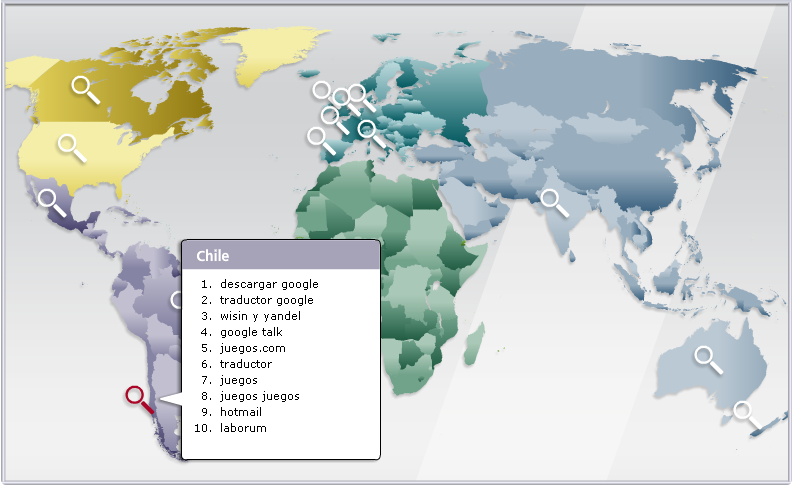
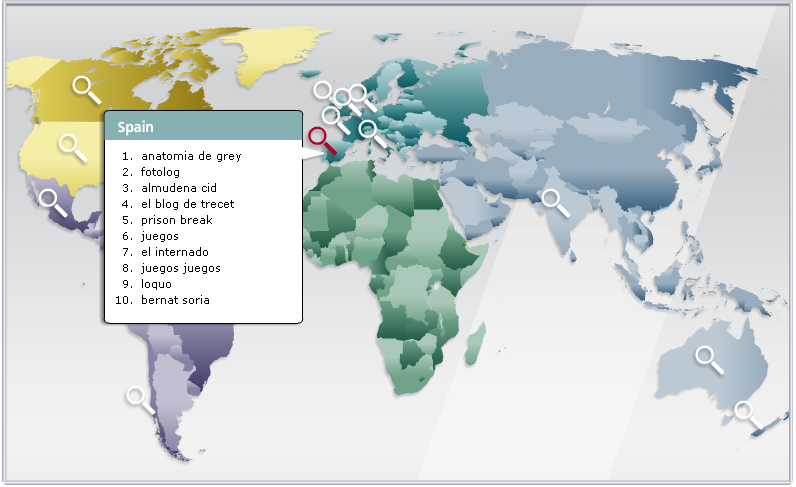
Countrywise Dangerous Key Words (Search Terms)!

        From more than 2,600 popular keywords, the first five pages of results across each of five major search engines are examined. On average, each keyword generated a little more than 250 results. Each keyword a category and a country and then ranked them by the risk of their resulting URLs. In addition, using data from Hitwise, a search intelligence company conducted much deeper dives into specific keywords.

Keywords were ranked in two ways:

1) The average risk of all results and
2) The maximum risk of the riskiest page of results.

What Makes Certain Search Terms Risky?

Why are certain keywords or search terms riskier than others? While it’s not always possible to understand the minds and motivations of today’s sophisticated hackers. Hackers are most successful when they can attract a large number of victims. One way to target big crowds online is to track current events - everything from celebrity meltdowns and natural disasters to holidays and popular music.

One key tool cybercriminals use to snare victims is to get them to download a computer file or program that comes with a malicious payload.

With these two concepts in play, let’s take a look at one of our riskiest search terms: free music downloads. On average, 20.7% of results were risky (compared to just 1.7% of all search terms) and on one results page out of the 25 search engine pages rated, it is found a whopping 42.9% of results risky. As consumers continue to convert their music libraries to digital formats like MP3 files, many consumers have heard that the web can be a source for free music. If the consumer is already looking for music, then they already have the mindset of being willing to download something - and that makes the malware author’s work easier.

A website’s subject matter or type of content can also affect its riskiness. Two such examples are lesser known pornographic and gambling sites that can be used to host malicious software such as exploits, dialers, Trojans, and other malware. This type of content can lead consumers down the dark alleys of the Internet, and consumers expose themselves to more risk when they attempt to search for these terms.

When determining “market size” for their scams, cybercriminals may look at the total number of website links a search term yields. Googlebattle.com is a good tool for illustrating this. An Anti-Virus giant found “Brad Pitt” more dangerous to search for than “Hugh Jackman” (14.3% maximum risk to 9.1%). Similarly, Googlebattle produces 26.4 million hits for “Brad Pitt” and just 5.5 million for “Hugh Jackman.”

It’s important to note that the number of website links is just one factor a cybercriminal might use when weighing whether to target a keyword. For example, Googlebattle finds Olympics soccer has more links than Olympic swimming, but for U.S. audiences in particular, “Michael Phelps” was a more popular - and riskier - search term.

Similarly, spikes in news coverage can also drive even consistently popular keywords out of the “most risky zone.” For example, three popular female celebrities are Cameron Diaz (15.6% maximum risk), Angelina Jolie (8.3%) Oprah Winfrey (7%) and Beyonce Knowles (7%). But searches for Zuma Rossdale, the daughter of Gavin Rossdale and Gwen Stefani, can be as risky as 25%, suggesting that malicious or unscrupulous players do pay significant attention to news events.

Countrywise Dangerous Key Words…


November 12, 2010

Microsoft's Recommendations!

Microsoft recommends that you install security software to help protect your computer from viruses and other security threats, and that you keep your security software up to date.

Some companies use products that appear to be Antivirus programs to install viruses or malware on your computer (Called as Rogues or Scarewares). When you install this program, you might also be installing the virus or other malware, without knowing it. Many companies, including those listed on this page, distribute antivirus programs. You should carefully investigate the source of antivirus and other products before downloading and installing them.

Recommended Windows 7 security software providers: 
The Antivirus companies listed below provide consumer security software that is compatible with Windows 7.

Recommended Windows Vista security software providers:
The Antivirus companies listed below provide consumer security software that is compatible with Windows Vista. 


Recommended Windows XP security software providers:
The Antivirus companies listed below provide consumer security software that is compatible with Windows XP.

Important: Before you install antivirus software, check to make sure you don't already have an antivirus product on your computer. If you do, be sure to remove the product you don't want before you install the new one. It can cause problems on your computer to have two different antivirus products installed at the same time.


November 11, 2010

Software vulnerabilities in computing!!

In computer security, a vulnerability is a weakness which allows an attacker to reduce a system's information guarantee.

Software vulnerability is commonly called a "bug" in software which may allow a third party or program to gain unauthorized access to some resource. Software vulnerability control is one of the most important parts of computer and network security for the following reasons.
  • Virus programs use vulnerabilities in operating system and application software to gain unauthorized access, spread, and do damage.
  • Intruders use vulnerabilities in operating system and application software to gain unauthorized access, attack other systems, and do damage.
  • Some software itself may be hostile.

If software vulnerabilities did not exist, I believe that viruses would not exist and gaining any unauthorized access to resources would be very difficult indeed.

This may be due to weak security rules, or it may be that there is a problem within the software itself. In theory, all computer systems have vulnerabilities; whether or not they are serious depends on whether or not they are used to cause damage to the system.

A software vulnerability is a state in a computing system (or set of systems) which either:
  • allows an attacker to execute commands as another user
  • allows an attacker to access data that is contrary to the specified access restrictions for that data
  • allows an attacker to pose as another entity
  • allows an attacker to conduct a denial of service

When an attack is made possible by a weak or inappropriate security policy, this is better described as 'exposure':

An exposure is a state in a computing system (or set of systems) which is not a universal vulnerability, but either:
  • allows an attacker to conduct information gathering activities
  • allows an attacker to hide activities
  • includes a capability that behaves as expected, but can be easily compromised
  • is a primary point of entry that an attacker may attempt to use to gain access to the system or data is considered a problem according to some reasonable security policy

When trying to gain unauthorized access to a system, an intruder usually first conducts a routine scan (or investigation) of the target, collects any 'exposed' data, and then exploits security policy weaknesses or vulnerabilities. Vulnerabilities and exposures are therefore both important points to check when securing a system against unauthorized access.

Only approved software should be operated on the organization's network. This is so hostile programs cannot gain access to the network. Hostile programs may be written with some useful functionality, but may perform a hidden task that the user is not aware of. This type of hostile program is normally called a "Trojan Horse". The ways to help determine whether a program is hostile may include:
  • Does the progam come from a reliable source?
  • Is there proof that the program came from the source such as a digital signature?
  • If the source code is available for the program, the code may be checked to be sure there is no hostile content.
  • A reliable third party may be able to check out the software and certify that it is safe.
  • Does the creater of the program attempt to hide their identity? If the creator of the program attempts to hide their identity then there may be reason for suspicion. If the program creater does not hide their identity and can be reached, it is less likely that the program is a hostile program.
  • Has this program been run by other people or organizations for some period of time with no adverse consequences?

Computer security is not an exact science and it is a matter of reducing the chance of an intrusion. Probably the best method of being sure of the reliability of a program is to allow a reliable third party to check the program. I believe it is likely that these services may become more popular in the future. Program writers may even send source code to these service providers for certification with source code covered by a nondisclosure agreement.

November 3, 2010

Dangerous Celebrities in Cyberspace!!

This year, the search results for celebrities are safer than they've been in previous years, but there are still dangers when searching online. "Through consumer education and tools, consumers are getting smarter about searching online, yet cybercriminals are getting sneakier in their techniques. Now they're hiding malicious content in 'tiny' places like shortened URLs that can spread virally in social networking sites and Twitter, instead of on websites and downloads.

Cameron Diaz has been named the most dangerous celebrity on the web for 2010 by a top security firm.

Research by the security firm, which has been acquired by Intel, revealed that web users searching for images, screen savers and videos of the 'Knight and Day' actress have a one in ten chance of being presented with results that lead to malicious web pages.

According to the research, cybercriminals often use the names of popular celebrities to trick web users into visiting sites infected with malicious software. Those navigating to the site could find the malware installed on their computers.

Pretty Woman star Julia Roberts was named the second most dangerous celebrity on the web, while Justin Timberlake's current girlfriend, Jessica Biel, took third place.

Also said that while movie stars and models top the 'most dangerous' list this year politicians including US President Barack Obama and Sarah Palin are among the safest celebrities to search for on the net.

The top 10 celebrities from this year’s study with the highest percentages of risk are:


Position
Celebrity
1
Cameron Diaz – Searching for Diaz results in a one in ten chance of landing on a risky site. She has most recently been in the spotlight with blockbuster movies, "Knight and Day" and "Shrek Forever After." When "Cameron Diaz and screensavers" was searched, 19% of the sites were identified as containing malicious downloads.
2
Julia Roberts – Academy Award-winning actress Julia Roberts is one of America's sweethearts, and will soon be in the spotlight with her upcoming release of "Eat, Pray, Love." The overall risk of searching for Roberts is nine percent, yet searching for "Julia Roberts and downloads" results in a 20% chance of downloading a photo, wallpaper or other file laden with malware.
3
Jessica Biel – Last year's Most Dangerous Celebrity fell two spots with searches resulting in fewer risky sites this year. Biel continues to be in the spotlight with her on-again, off-again relationship with Justin Timberlake, and appeared in "The A-Team" in June 2010. While her overall search risk is 9%, searching for "Jessica Biel and screensavers" results in a 17% chance of landing on a risky site.
4
Gisele Bündchen – The world's highest-paid supermodel moved up two spots since last year. Searching for "Gisele Bündchen and screensavers" can prove risky, 15% of the search results for this beauty can put spyware, malware or viruses on your computer.
5
Brad Pitt – Pitt is often in the spotlight with news of his movies and his personal life. It's no wonder why this leading man has been in the top ten for the past three years. He moved up in rank five spots this year. Downloading photos, screensavers, or other files of Brad can potentially put adware or spyware in your computer.
6
Adriana Lima – Searching for downloads of this Brazilian beauty can direct users to red-ranked sites. Lima is best known for being a Victoria's Secret Angel since 2000.
7
Jennifer Love Hewitt, Nicole Kidman – Searching for these Hollywood starlets resulted in an equal number of risky download websites.
8
Tom Cruise – With recent buzz around his MTV Awards performance as well as his movie, "Knight and Day," Cruise rises to the top ten.
9
Heidi Klum, Penelope Cruz – Both of these ladies are consistently in the spotlight, and share the #9 spot. Cybercriminals use their names to lure people to risky sites. Klum hosts "Project Runway" and Cruz has been in the spotlight recently for her role in the "Sex and the City 2" movie and is expected to be in the fourth film of the "Pirates of the Caribbean" series.
10
Anna Paquin – This "True Blood" star is as dangerous on the web as she is on the screen. Searching for screensavers of Paquin can lead you to downloads filled with malware.

Cybercriminals follow the same hot topics as consumers, and create traps based on the latest trends. Whether you’re surfing the Web from your computer or your phone or clicking on links in Twitter about your favorite celeb, you should surf safely, and make sure you’re using the latest security software.

Is Your Money Safe Online?

It is important to keep your hard-earned money safe.

The Internet allows you to make life easy and get better rates. It also adds new risks. While online banking is considered safer than traditional paper-based banking, you need to know what the threats are.

The internet is a convenient place to buy almost anything. Unfortunately, if someone gets hold of your credit or debit card details, they may try to use them to shop online fraudulently.

That's why MasterCard and Visa have developed MasterCard SecureCode and Verified by Visa secure services that offer you much greater protection when shopping online.

Verified by Visa and MasterCard SecureCode both work in the same way - by using personal passwords, used by the consumer, to add an extra layer of protection when you buy online in retailer outlets.
  
Where can I shop?

You can shop anywhere online. Signing up does not in any way restrict your ability to use your card to make purchases online, whether or not the website you are shopping at is currently participating in the service or not. It simply means that when you buy from a retailer that is participating, you benefit from that extra level of security. The number of online retailers registered with these services is growing all the time.

November 2, 2010

Eight threats your Anti-Virus will not stop!!!


News headlines are a constant reminder that malware attacks and data leakage are on the rise. High-profile incidents that make big news might seem out of the ordinary. Yet businesses of every size face similar risks in the everyday acts of using digital technology and the internet for legitimate purposes.

Anti-virus technology was a first and extremely necessary response to security threats that have escalated over the past decade. The original anti-virus concept blocked attacks by using patterns, or signatures, to identify malicious software code. Signature-based detection was sufficient when threats were fewer, farther between and generally less dangerous.

Now that organized criminals relentlessly troll for vulnerabilities, the risk is high for any organization that uses technology in ordinary and legitimate ways. Because exposure lies in such routine situations, organizations must update their protection beyond traditional anti-virus. As news headlines show, letting your guard down has dangerous consequences. Here are eight everyday threats, related incidents from the real world and countermeasures you can put in place.

1. The zero-day threat
2. Working outside the firewall
3. The unpatched PC
4. The uncontrolled application
5. Web insecurity
6. The lost laptop
7. Misdirected email
8. The infected USB device

November 1, 2010

Be careful whenever you're using a public computer!!

Please be careful whenever you're using a computer at a public place such as libraries, internet cafes, airports, and coffee shops, etc.

Check the back of the computer and see if the below device is there.
If so, do not use it!!!!

New storing device fits at the end of the keyboard cable connecting to the computer specialized to save all typed keys in it!!

It could be used commonly in internet cafes, exhibitions, hotels and airports. Please be careful when you access internet from these places to enter your bank accounts online or any other important websites.

After you enter the bank account details and leave the computer, it will be very easy to open your account again as all what you have typed has been saved in the Black Device.  
Therefore, you should check the computer for any suspicious device behind it before using the internet in public places accessing important websites.

These devices are generally known as "key loggers". The brand of keylogger shown in the message is a KeyShark Key Logger and is available for sale at many different computer outlets and websites around the world.


Product information about the device describes it as follows:


This is a device that can be connected to a keyboard to record all keystrokes. It has a changeable password, keyword search, enable/disable option, and stores over a years worth of data.


Keyshark plugs in between your keyboard and your computer. A microcontroller interprets the data, and stores information in the non-volatile memory (which retains the information even when there is a loss of power.) This means that the Key Shark device can be unplugged, and the information will not be lost.

The black Keyshark Key Logger shown in the photographs is in fact only one kind of hardware keylogger. The devices come in all shapes and sizes and are not always black. There are also USB and wifi keyloggers as well as PS/2 devices like the one shown here.


It should be noted that the devices themselves are not illegal and can be easily procured. Possible legitimate applications for keyloggers might be the monitoring of children's use of the Internet, permission based monitoring of staff activity or helping software developers learn how test users interact with new software products. Law enforcement agencies may also use the devices when gathering evidence or intelligence. That said, keyloggers can indeed be used for nefarious and illegal purposes. An unscrupulous Internet Cafe owner or staff member could certainly install the devices unbeknownst to customers.


All in all, however, a much more potent keylogging threat to users exists in the form of software keyloggers. Software keyloggers, which can perform the same function as hardware devices such as the Keyshark, are much cheaper and can potentially be installed on a great many more computers. Keylogger software in the form of trojans horses can be installed on thousands or even millions of computers via malware email campaigns that cost the criminal very little to implement. Therefore, it seems probable that serious criminals are considerably more likely to operate software keyloggers than use the more expensive and cumbersome hardware variety.

Related Posts Plugin for WordPress, Blogger...

Search This Blog

Followers

Categories

Twitter Delicious Facebook Digg Stumbleupon Favorites More